Server Log Viewer
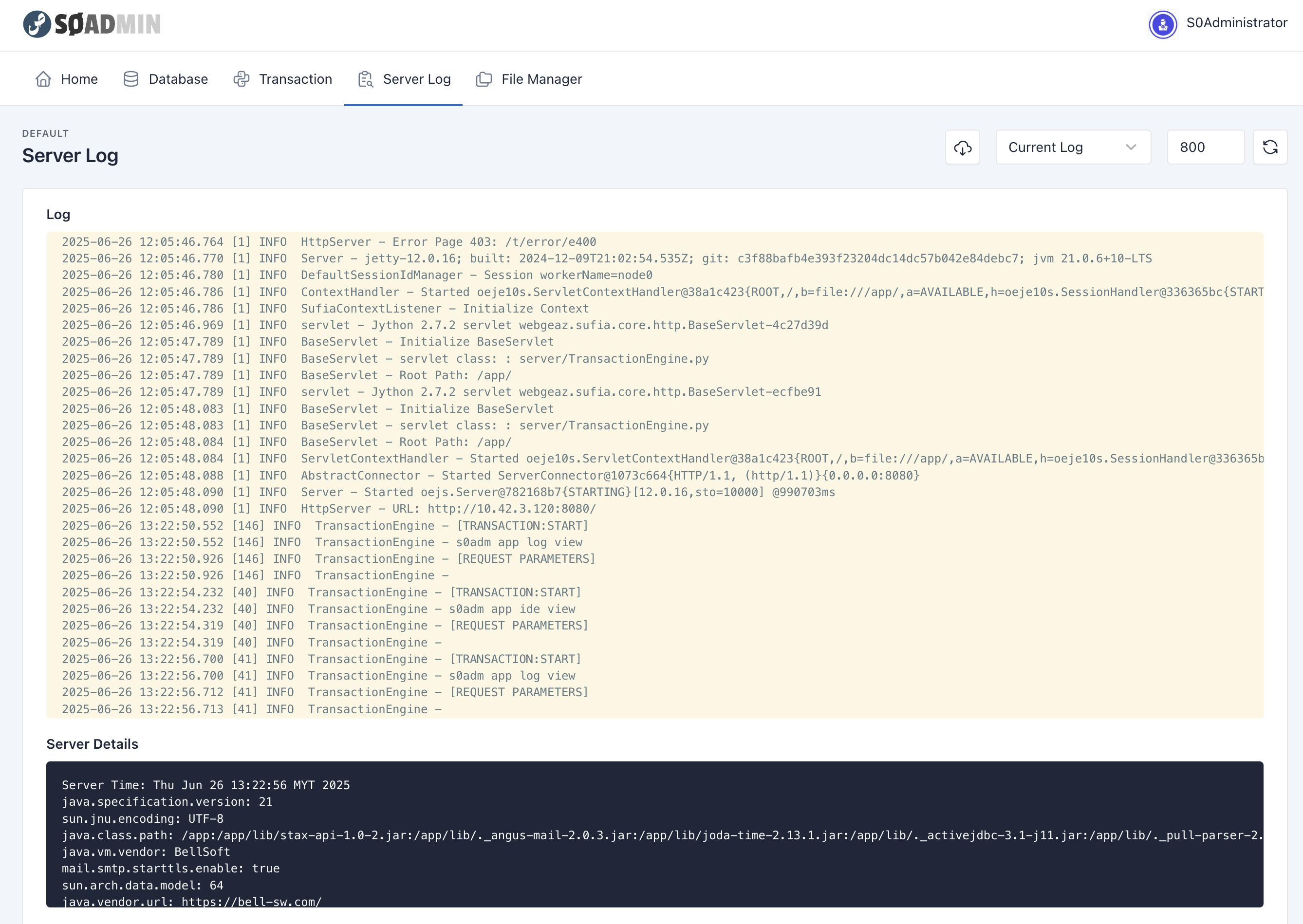
SØAD Online IDE includes a built-in Server Log Viewer that allows developers to monitor application behavior, debug issues, and trace transaction flow in real time. It provides a clear view into the internal server activity during application runtime.
Log Panel Overview
The Server Log Viewer can be accessed from the Server Log tab in the top navigation menu of the SØAD Online IDE.
Features
- Live Log View: Displays recent logs, including application events, transaction traces, errors, and log output from transaction code.
- Line Limit: You can specify how many of the latest lines you want to view. By default, the system shows the last 800 lines.
- Scroll Support: You can scroll through logs to explore older entries in the current range.
- Download Full Log: A Download button is available to export the entire log for offline analysis, team sharing, or archival purposes.
Use Cases
- Debugging: Trace log output or inspect transaction execution.
- Monitoring: Track server events, startup information, and servlet activity.
- Error Analysis: Quickly locate stack traces or failure messages.
The Server Log Viewer is a valuable tool during development, testing, and diagnosing issues without needing to access the file system directly.
Example Usage
When you run a transaction, any print() statements or logging calls will appear in the Server Log Viewer. This allows you to see real-time output from your transaction code, making it easier to debug and understand application behavior.
from sufia.util import Log

class MyTransaction:
    def view(self, ctx):
        Log.info(ctx, "Starting my transaction")
        # Your transaction logic here
        print("This will appear in the server log")
        Log.print(ctx, "Transaction completed successfully") #same as info()
Note
print() statements in your transaction will appear in the server log. However, for more structured and consistent logging, it is recommended to use the Log.info(), Log.debug(), or Log.print() methods.
If SØAD is running in a containerized environment, the print() output cannot be captured by the IDE. Therefore, you should use the Log.info(), Log.debug(), or Log.print() methods, as these work well inside containers.