Page Layout
SØAD supports a layout system similar to SiteMesh, allowing developers to define a common page template that wraps around individual views. This is useful for applying a consistent structure across multiple pages—such as a shared header, navigation menu, and footer.
A Page Layout is a standard HTML file that includes special placeholders using Handlebars helpers:
{{&title}}{{&head}}{{&body}}
These placeholders are automatically filled by the framework when rendering a view that uses layout integration.
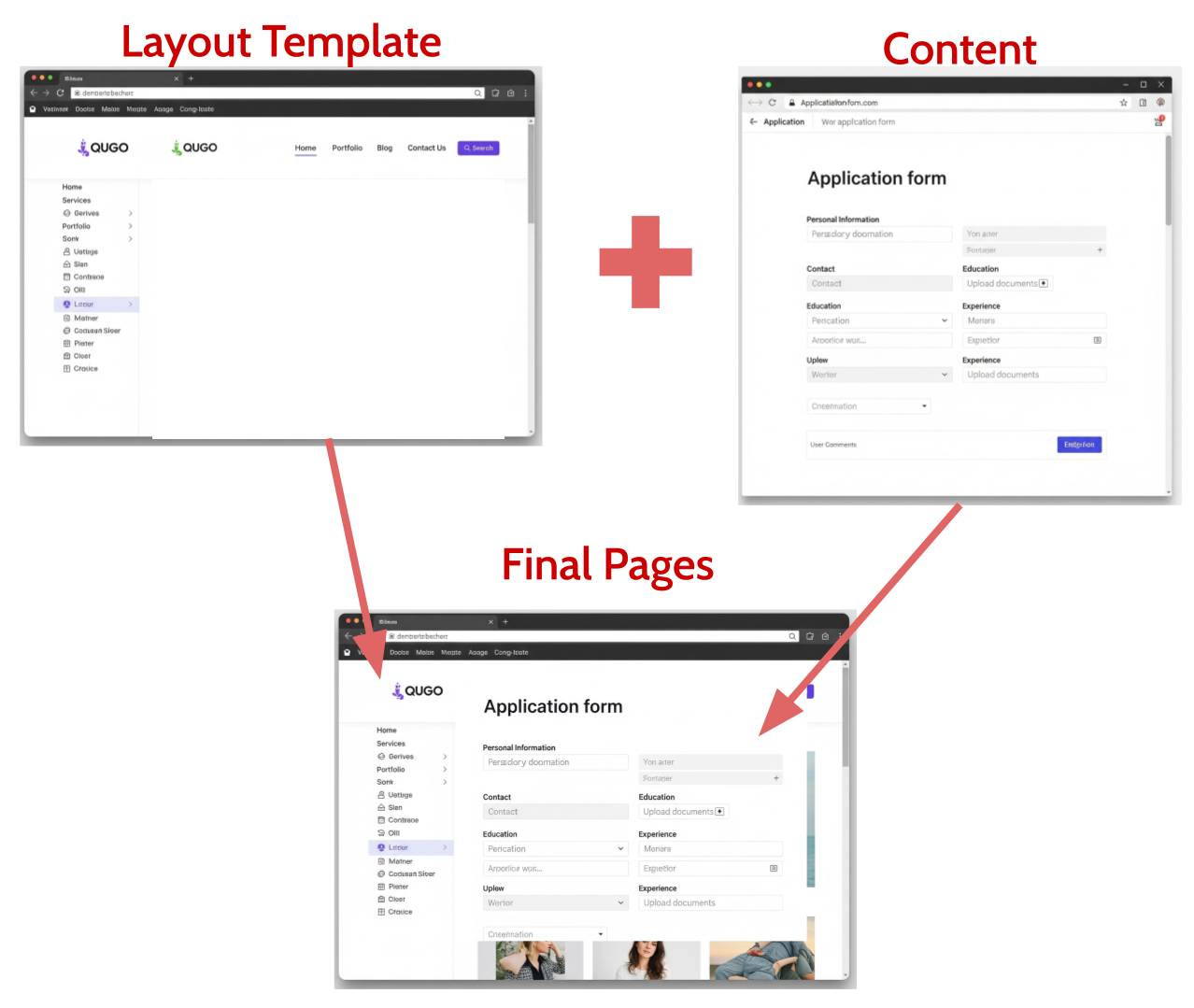
Page Layout Concept
How It Works
To define a layout in a transaction, simply include a method named:
This method name is conventional. Any transaction class with a method by this name will be recognized by the framework as providing layout support.
The page_layout method should return a tuple containing:
- The group name (e.g.,
"web") - The code name (e.g.,
"base") - (Optional) The layout file name (e.g.,
"layout") - If not specified, it defaults to the default view of the Transaction.
This tells the framework which layout file to use when rendering the view.
The content returned by the view method (e.g., view(self, ctx)) is extracted and injected into the corresponding layout placeholder (e.g. {{&body}}).
Example Transaction with Layout
from utils import render

class Base(object):
    def page_layout(self, ctx):
        return ("web", "base", "layout")
This method will render _base/layout.html and merge the content of the view into the layout.
Example HTML:
Sharing Layouts via Inheritance
To apply a layout to multiple transactions, you can define the layout in a base transaction class and have others inherit from it:
from utils import render
from default.web.base import Base

class Dashboard(Base):
    def view(self, ctx):
        ctx.go_to = render.as_view(ctx, "dashboard")
<html lang="en">
<head>
    <title>Dashboard</title>
</head>
<body>
    <h1>Dashboard</h1>
    <p>Welcome to your dashboard!</p>
</body>
</html>
Final Output:
<!DOCTYPE html>
<html lang="en">
<head>
    <meta charset="UTF-8">
    <title>[MyApp] - Dashboard</title>
</head>
<body>
    <main>
        <h1>Dashboard</h1>
        <p>Welcome to your dashboard!</p>
    </main>

    <script src="..."></script>

</body>
</body>
</html>
In this example, the Dashboard transaction inherits from Base, which provides the layout functionality. The view method will render _dashboard/dashboard.html, and the content will be injected into the layout defined in _base/layout.html.
This promotes consistency and reduces duplication in layout structure across views.